Like a budget spreadsheet, but it does the typing for you.
Download your bank statement, drop it in, and every purchase is sorted into your budget. Bills, debt payoff and savings goals included. Works on your phone and computer. Pay once and it's yours.
- Bank statement import
- Monthly budget
- Bills & subscriptions
- Debt payoff plan
- Savings goals
- Side-hustle profit
Get Money Manager for $19 →Try the live demo first
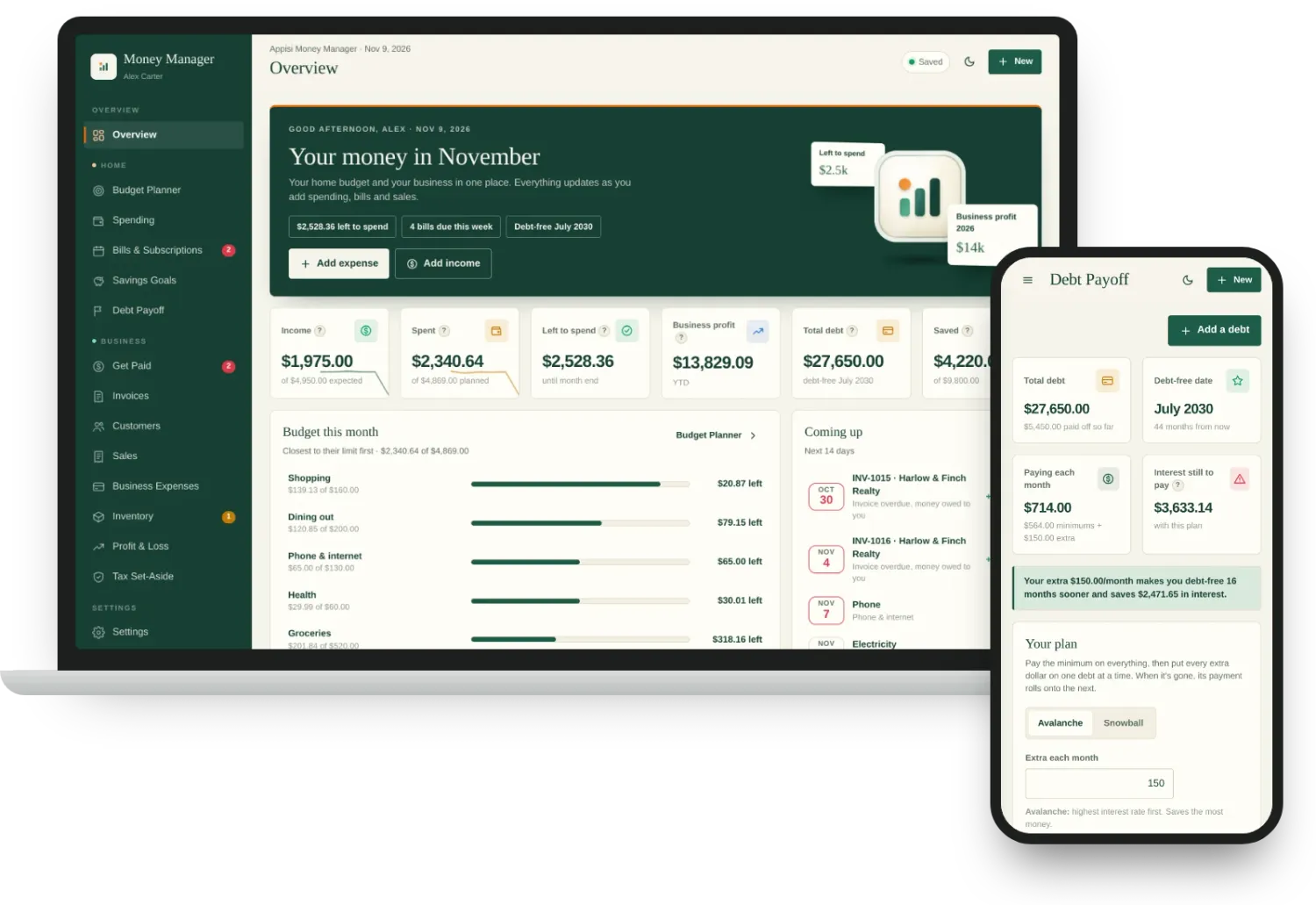
Money comes in. Money goes out. You're never quite sure where.
- 01Payday feels great for three days. Then you're checking your balance before every purchase.
- 02Subscriptions and bills you forgot about keep landing on the same week.
- 03You pay your cards every month, but the balances barely move and there's no finish line.
- 04Etsy sales, freelance jobs and your paycheck all land in one account, so you can't tell what your side hustle really earns.
- 05Budgeting apps want around $100 a year and your bank login before you can even start.
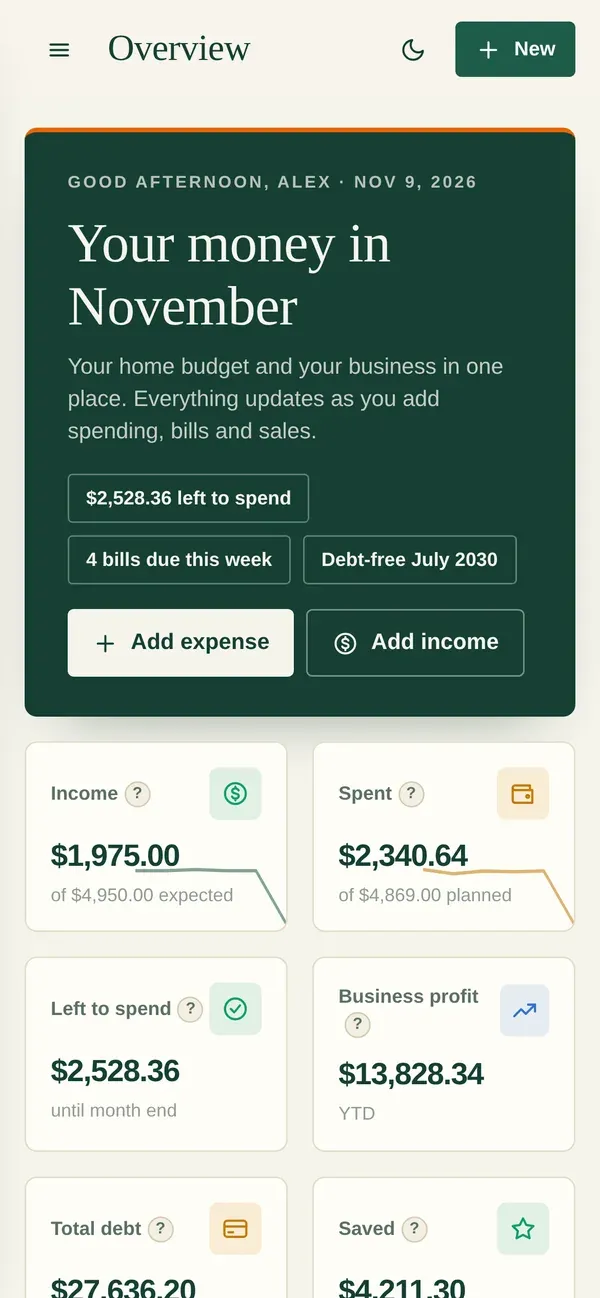
Money Manager shows your whole month on one screen: what came in, what's left to spend, what's due next, and when your debt will be gone.
See it with sample data →Six screens that answer the questions you actually ask.
Everything below is the real app, filled with sample data. You can click around the same sample in the live demo.
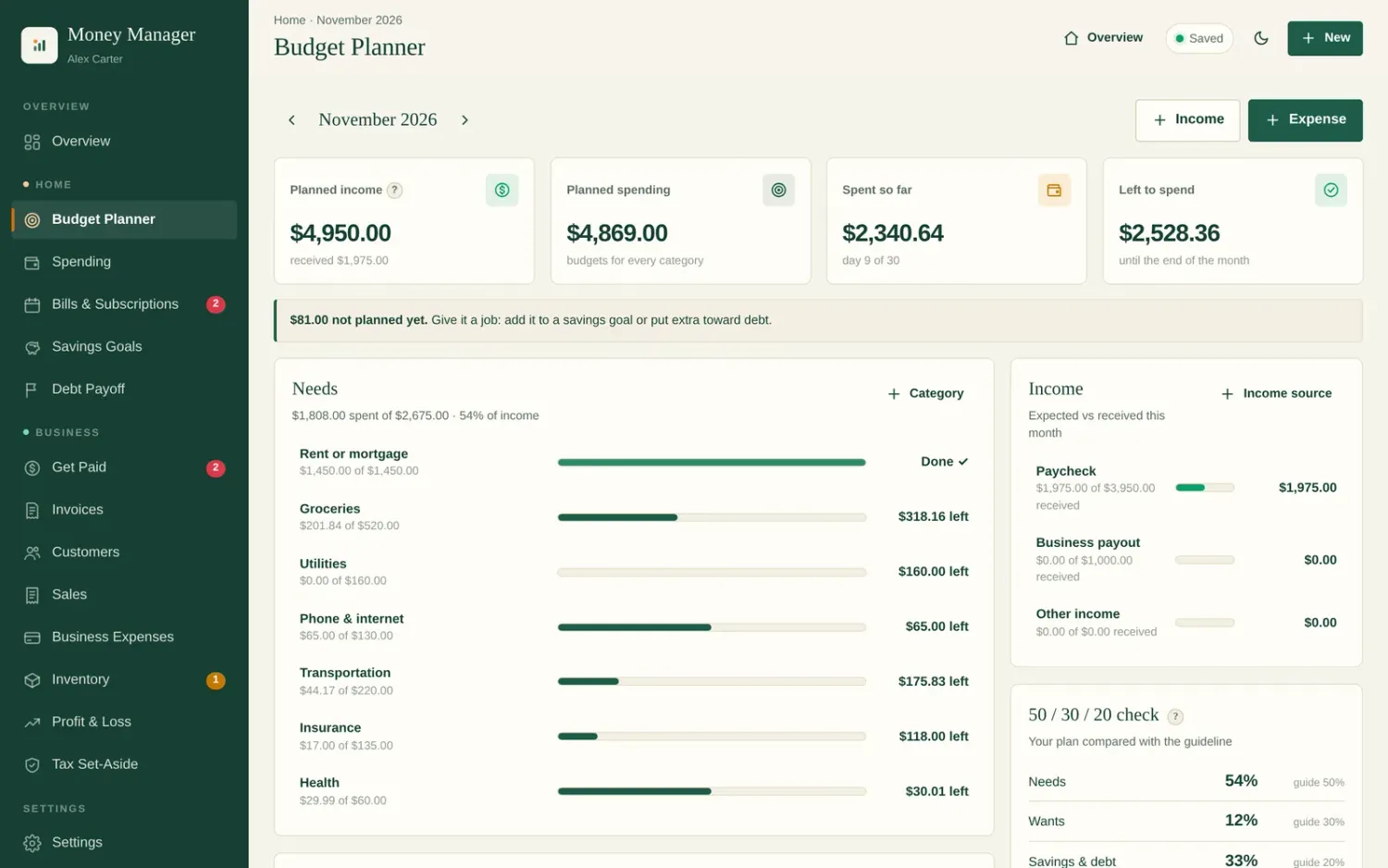
"How much can I still spend this month?"
Give every category a limit. Bars fill as you spend, so you see what's left at a glance, before you run out.
- Ready-made categories for rent, groceries, gas, dining out and more
- Change one month without touching the others (holidays, birthdays)
- Needs, wants and savings split shown for you
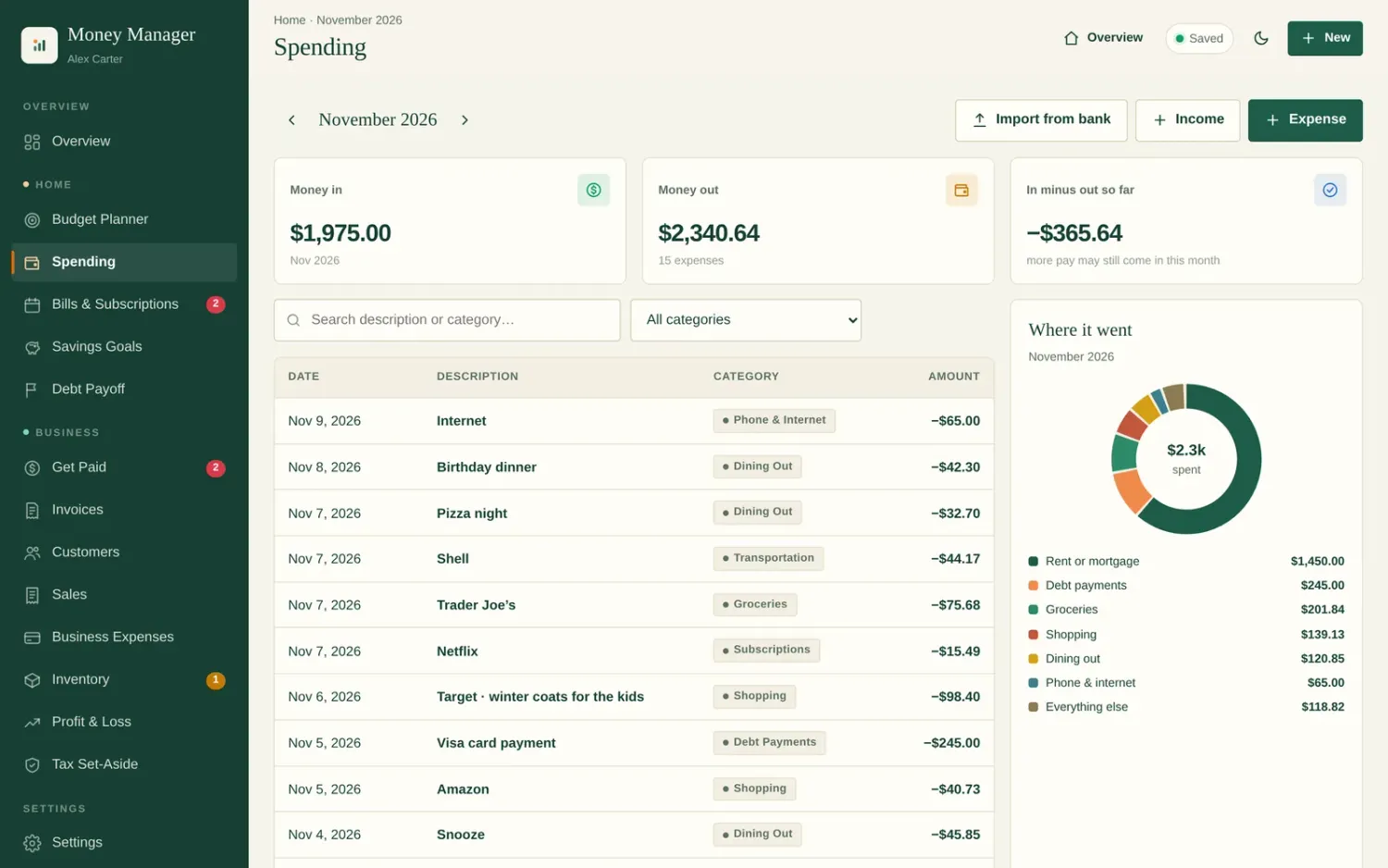
"Where did my money go?"
Add spending in seconds, or import the statement file (CSV) your bank already lets you download. Money Manager sorts each line into a category and remembers your choices for next time.
- Works with most US, Canadian and UK bank and card statements
- Spots duplicates and transfers so nothing is counted twice
- A chart shows exactly where each dollar went
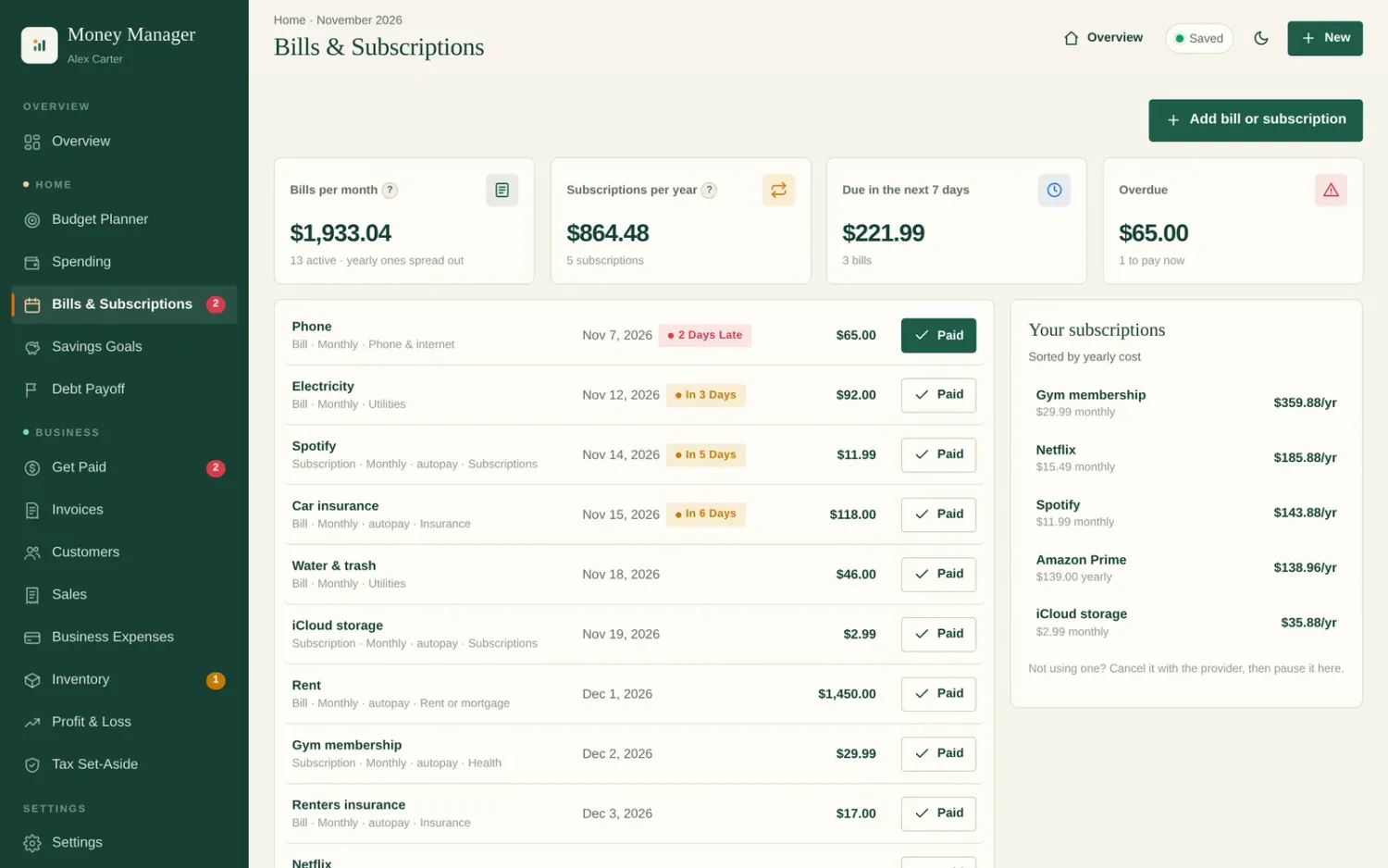
"What's due this week?"
List every bill and subscription once. Money Manager shows what's coming up, flags anything overdue, and tells you what all those subscriptions cost you per month.
- Weekly, monthly, quarterly and yearly bills
- One tap to mark paid. The next due date moves on its own
- Due-soon alerts on your Overview
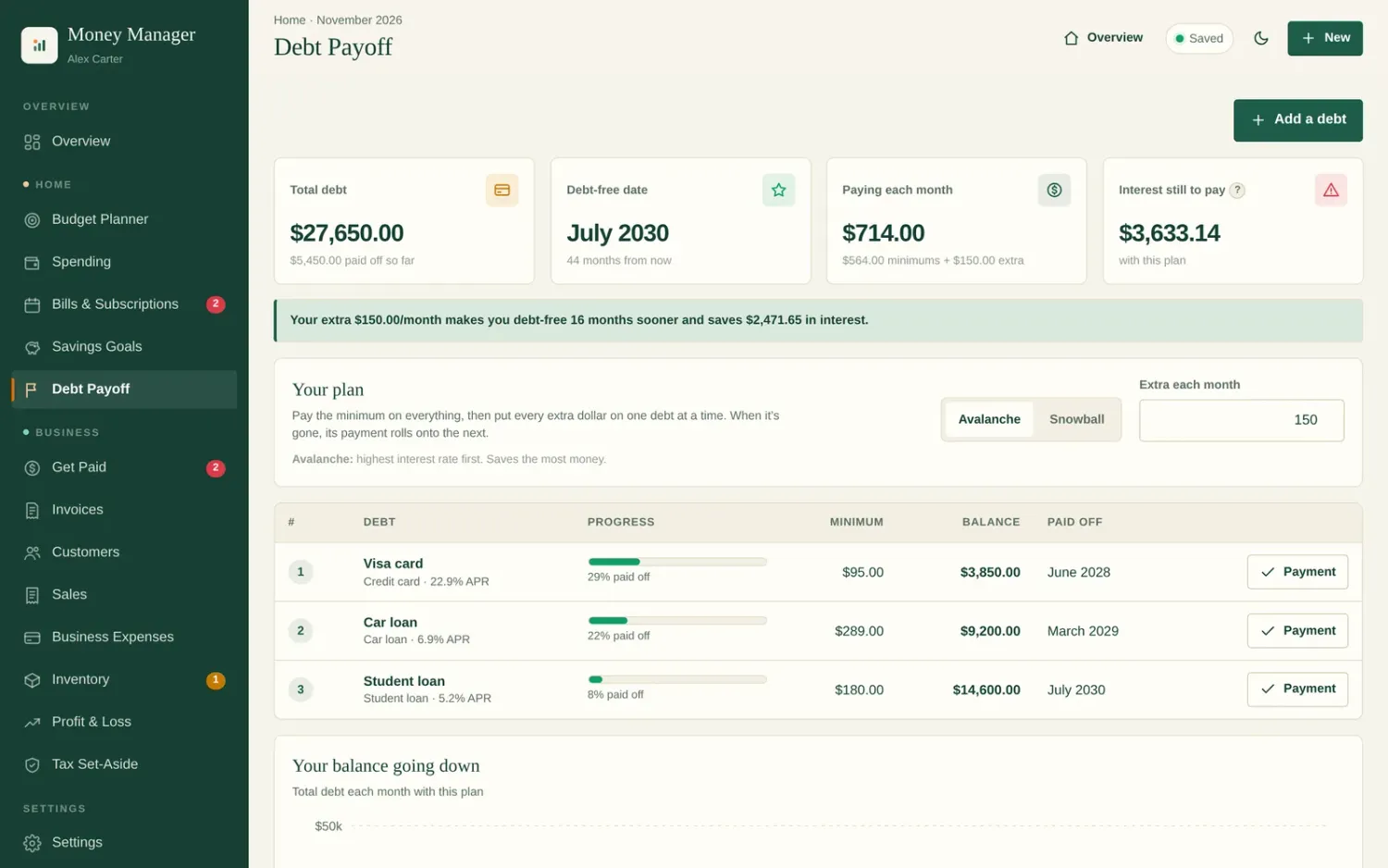
"When will I be debt-free?"
Add your cards and loans. Choose avalanche (saves the most interest) or snowball (quick wins first), add any extra you can pay, and see your debt-free date and the interest you'll save.
- Month-by-month payoff order
- See how $50 or $150 extra changes your date
- Log payments and watch balances drop
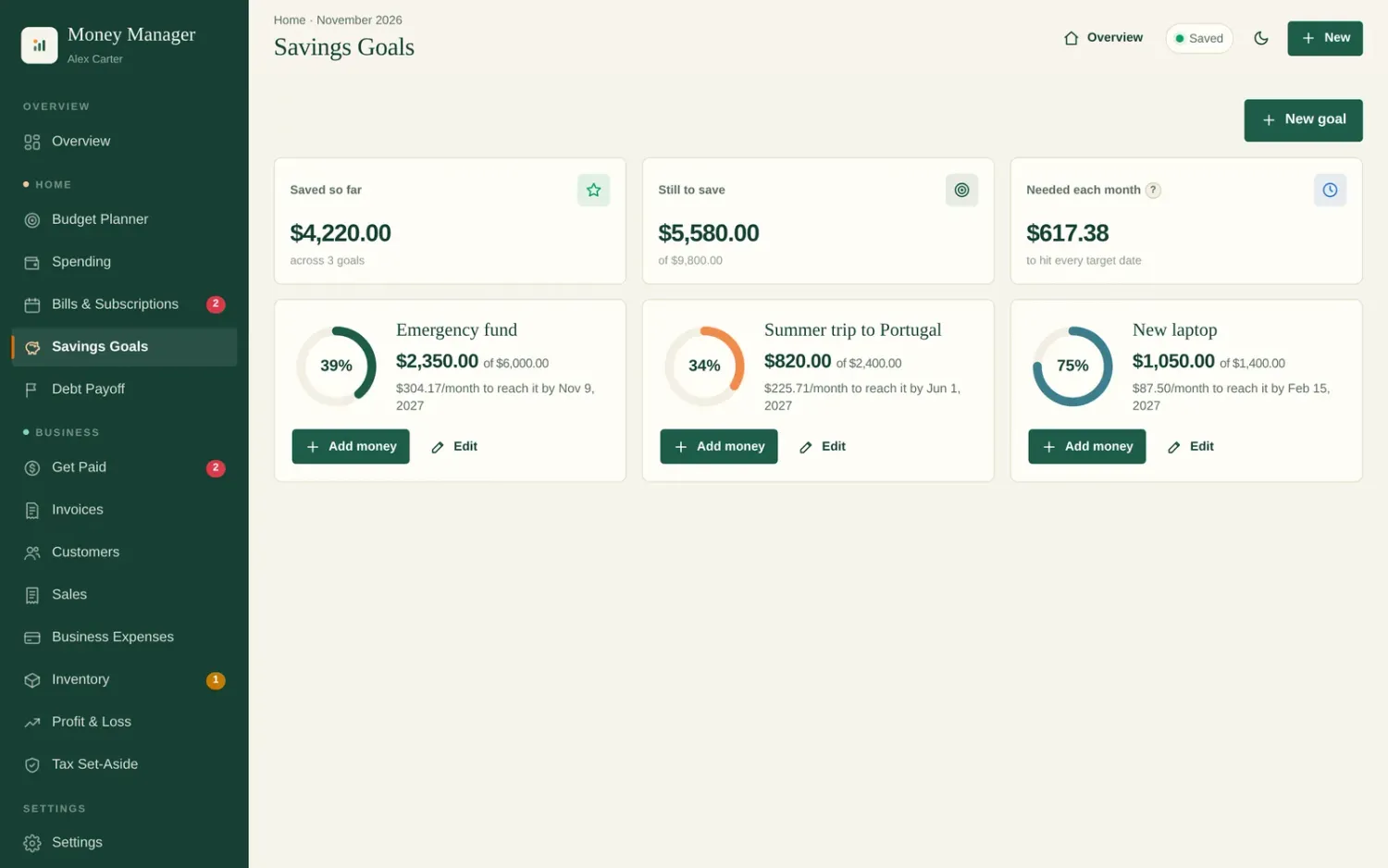
"Am I on track for that trip, emergency fund or new laptop?"
Set a target and a date. Money Manager tells you how much to put aside each month to get there, and shows how close you are.
- Emergency fund, vacation, car, holidays, anything
- Progress rings for every goal
- Monthly amount worked out for you
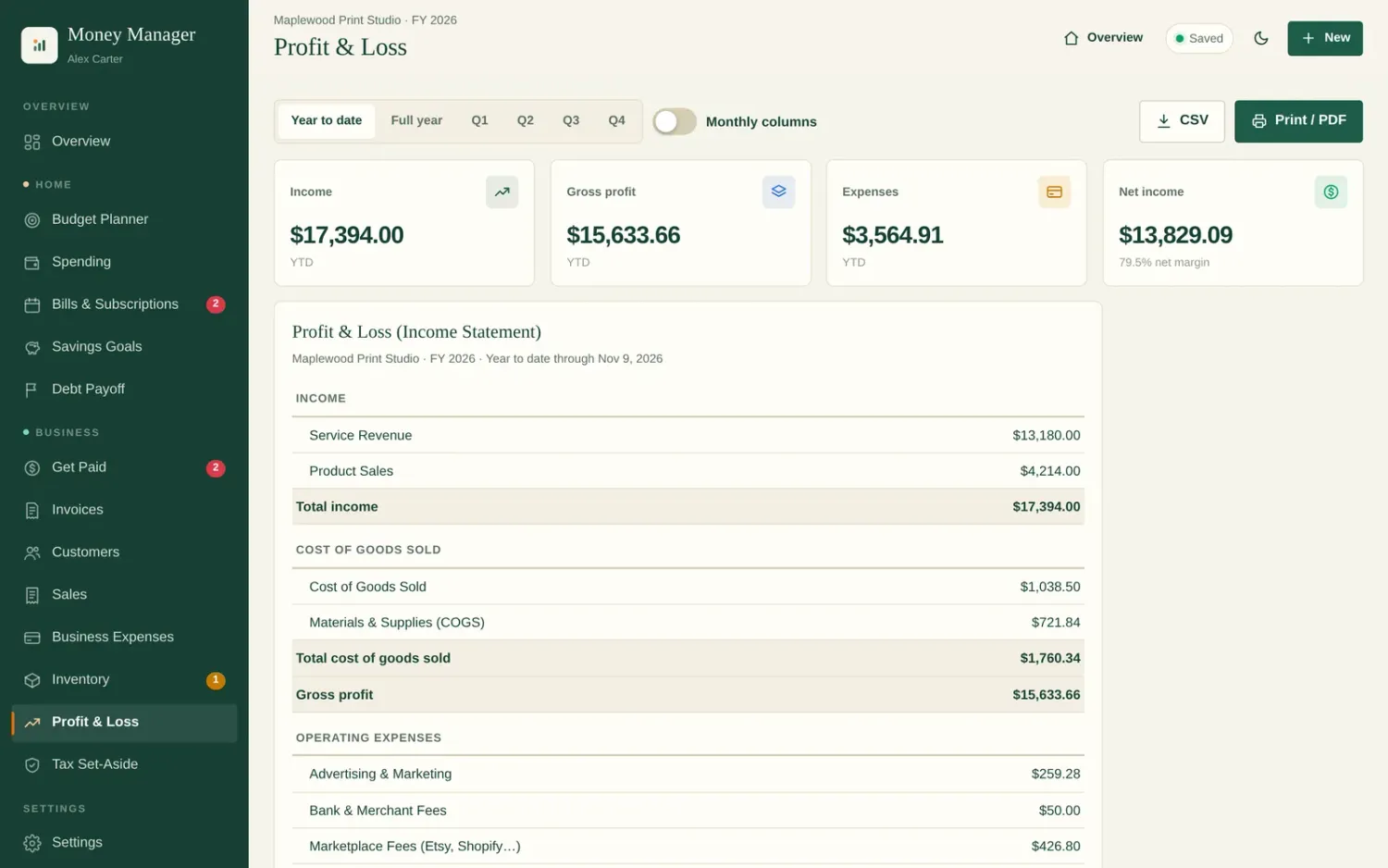
"Is my side hustle actually making money?"
Keep side-hustle and freelance money separate from household spending. Send invoices, log Etsy or market sales, track business expenses and marketplace fees, and see real profit. Set aside the right amount for tax.
- Invoices and customers
- Sales, business expenses and Etsy/Shopify fees
- Profit & Loss and a tax set-aside estimate
- Optional inventory for people who sell products
One payment. All of it.
Built for real-life money, not accountants.
If any of these sound like you, Money Manager was made for you.
Stop renting your budget app.
Popular budgeting apps cost around $100 every year. Money Manager costs $19 once.
| Typical budgeting app | Appisi Money Manager | |
|---|---|---|
| Price | About $100 per year, every year | $19 once |
| After 3 years | About $300 | Still $19 |
| Bank login required | Usually | No. Import a file if you want to |
| Debt payoff plan | Sometimes | Yes, with debt-free date |
| Side-hustle invoices & profit | Rarely | Yes, built in |
Your numbers stay with you.
Money Manager doesn't ask for your bank password and doesn't send your budget to our servers. Your data is saved in the browser on your own device, and you can download a backup file whenever you like.
Click around before you buy.
Open the real app filled with a sample household and side business. Move through the budget, check the debt-free date and try the bill reminders. No sign-up needed.
Open the live demo →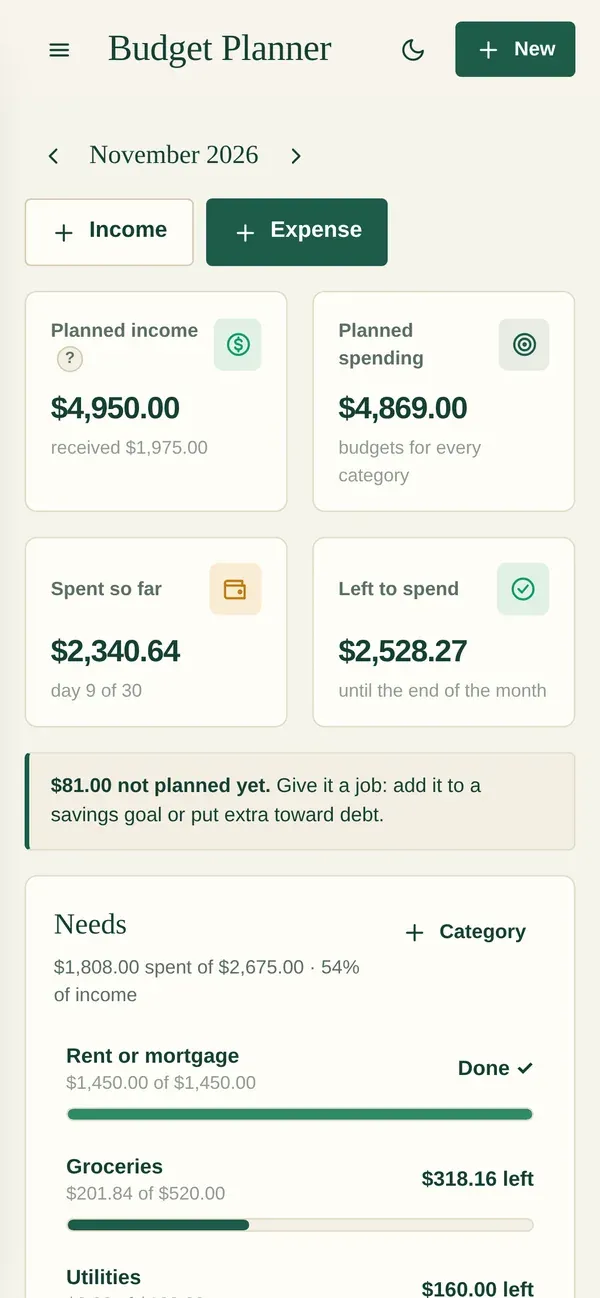
Pay once. Use it for life.
Launch pricing for our first customers. The price will go up.
Appisi Money Manager
Home budget + side-hustle moneyEverything you need to take control of your money.
- Lifetime access
- No subscription
- All future updates
- Phone & computer
- Monthly budget planner
- Spending tracker
- Bank statement (CSV) import
- Bills & subscriptions
- Debt payoff planner
- Savings goals
- Invoices & customers
- Sales & business expenses
- Profit & Loss
- Tax set-aside
- Optional inventory
- Backups & dark mode
Secure checkout · Instant access by email
Good to know before you buy.
Is this a subscription?
No. You pay $19 once and keep access. There are no monthly or yearly fees.
Do I need to connect my bank?
No. You can add spending by hand in a few taps, or download a statement file (CSV) from your bank's website and import it. Money Manager never asks for your bank login.
Does it work on my phone?
Yes. It opens in your browser on iPhone, Android, Mac, Windows and Chromebook. Nothing to install.
Where is my data stored?
In the browser on your own device. Your budget isn't uploaded to our servers. Each device keeps its own copy, so use the backup file to move your data or keep a safe copy. We recommend saving a backup every week or two.
I don't have a business. Is it still for me?
Yes. Most of the app is the Home side: budget, spending, bills, savings goals and debt payoff. The Business tab is there if you ever start freelancing or selling.
Can I use it for Etsy or freelance work?
Yes. Send invoices, log sales, track business expenses and marketplace fees, see your profit and get a tax set-aside estimate. If you sell products you can turn on Inventory in Settings.
Is it accounting or tax software?
No. It's a budgeting and money-tracking app. The tax set-aside is a simple estimate to help you save; check your actual taxes with a tax professional.
Can I try it first?
Yes. The live demo is the real app filled with sample data. No sign-up needed.
How do I get access after buying?
Right after checkout you get a welcome email with your login. Open Money Manager from there on any device.
Give every dollar a job. Pay once.
Budget, bills, debt payoff, savings goals and side-hustle profit in one simple app for $19.
Get Money Manager for $19 →Try the live demo